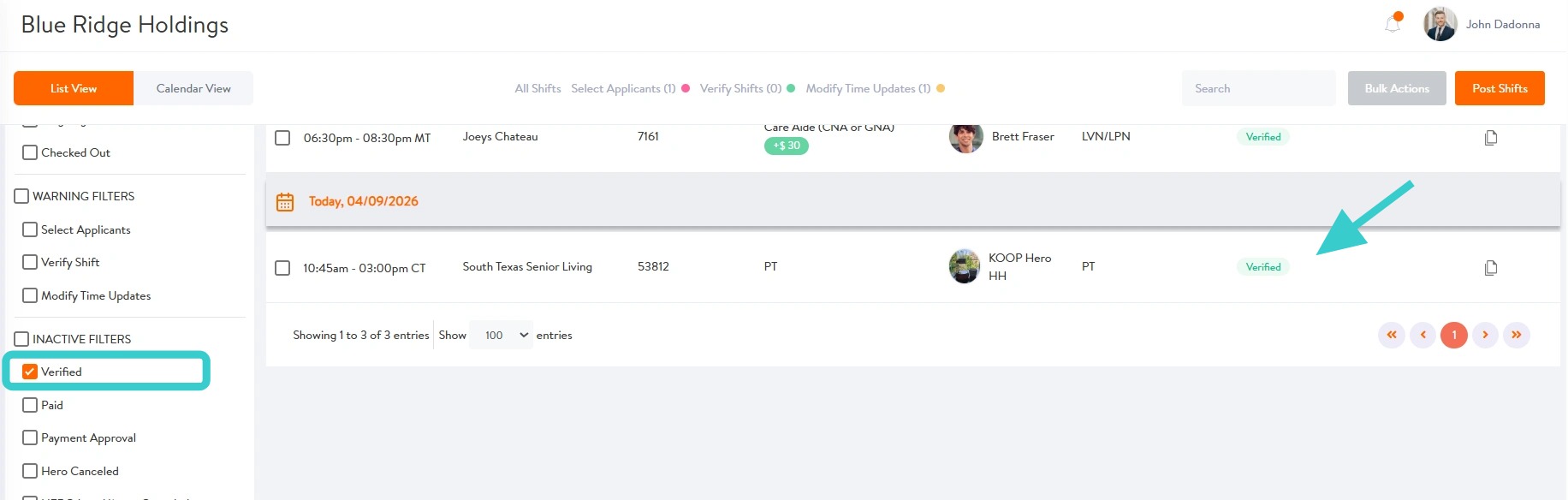

How to Verify Completed Therapy Shifts
This guide shows therapy managers how to verify completed therapy shifts, including how to review and make updates to session details if needed.
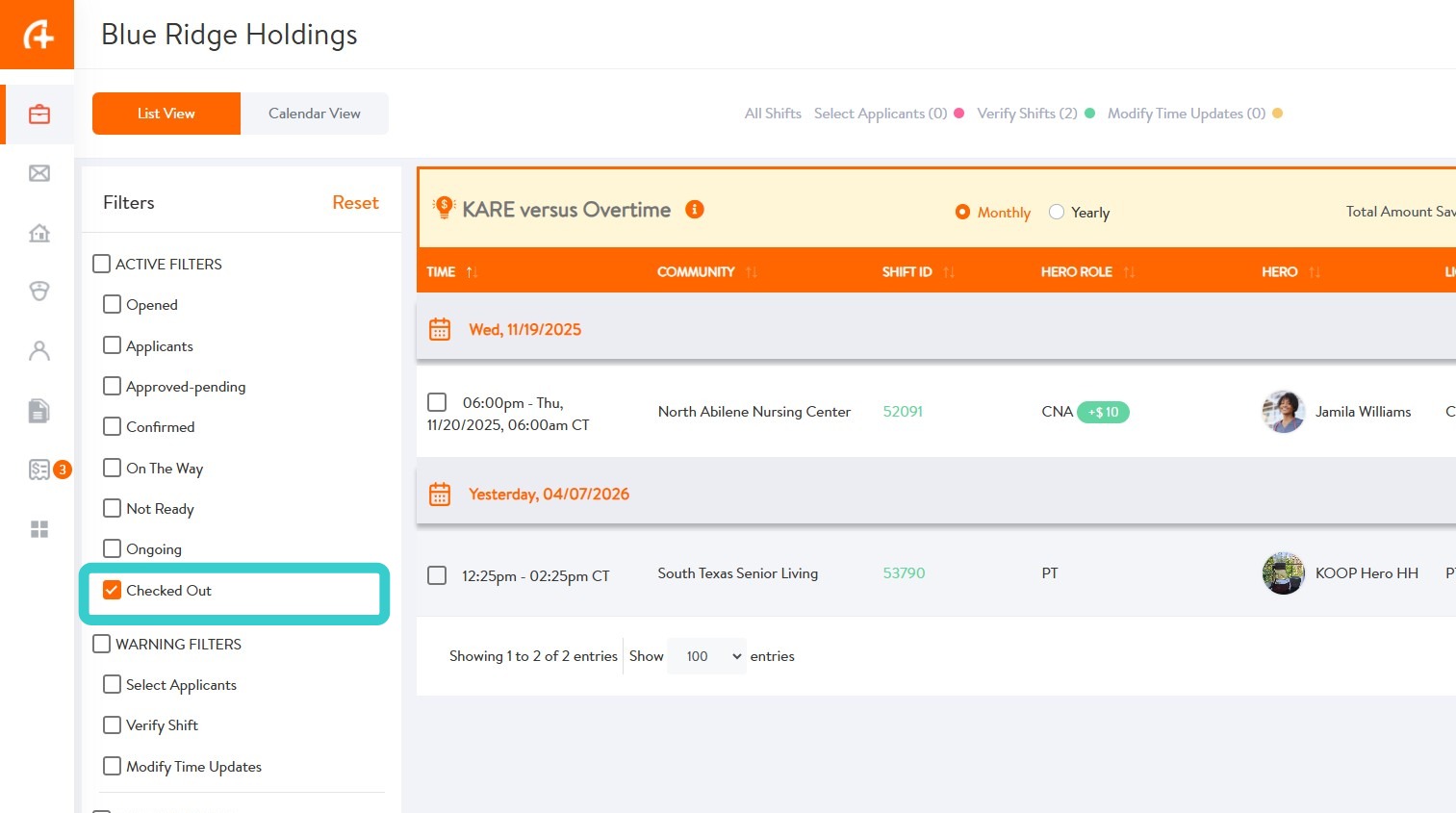
1. Managers must verify all shifts worked by HEROs. Once a HERO has checked out of a shift, it will appear in the Checked Out list for review and verification.
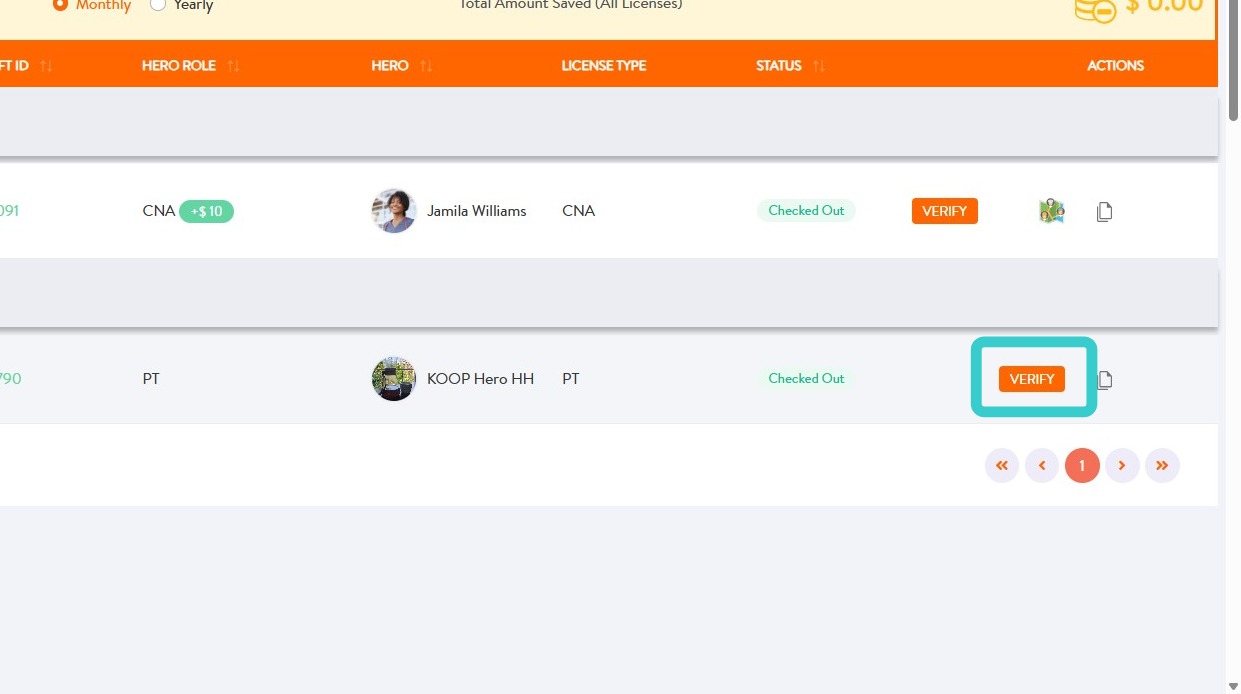
2. Select VERIFY
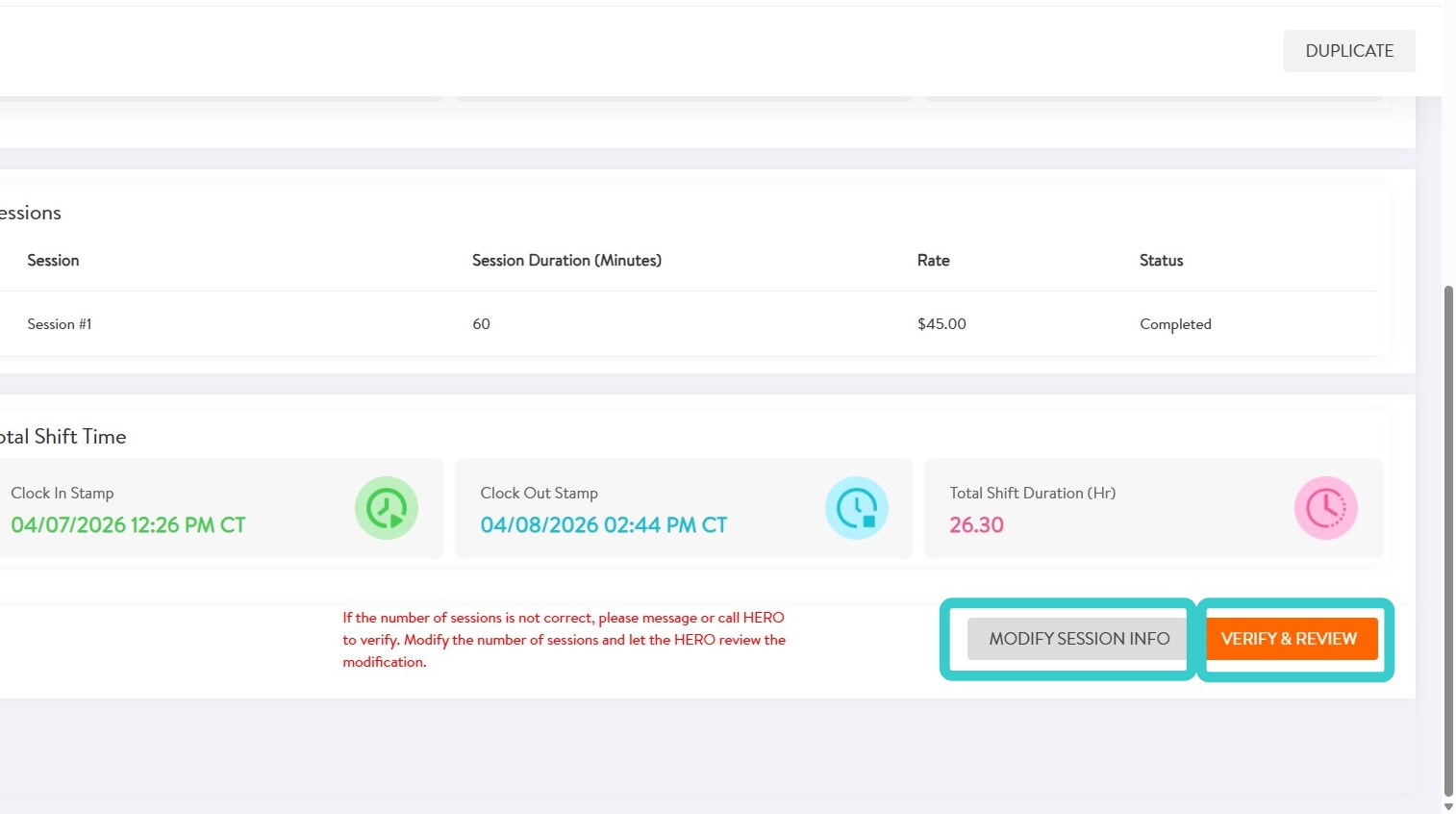
3. If session information needs to be modified, select MODIFY SESSION INFO.
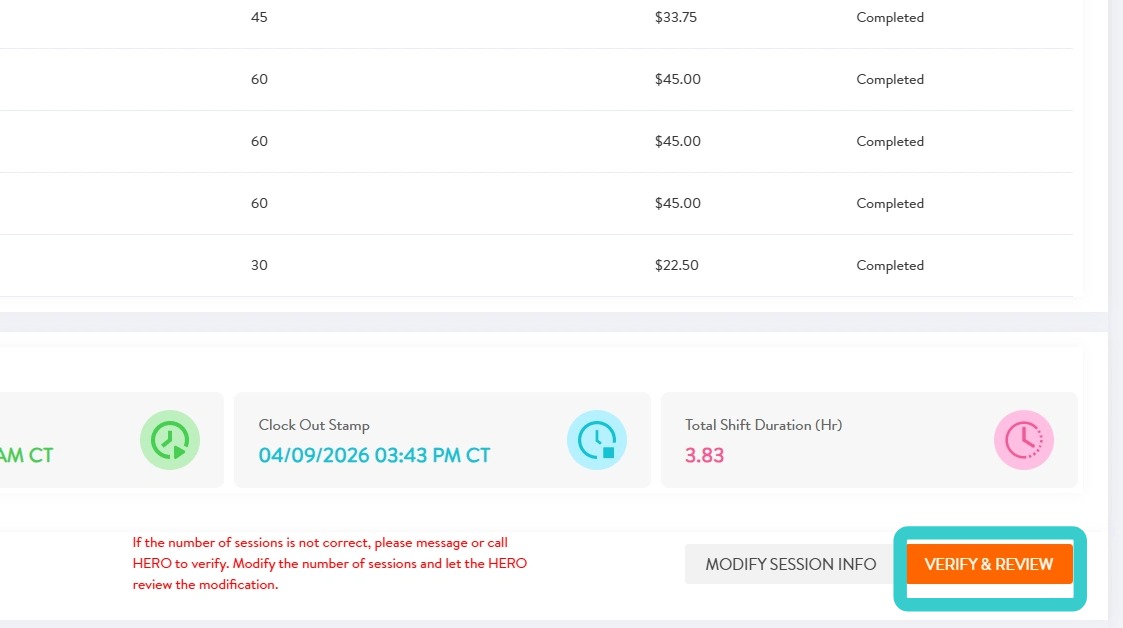
If shift is accurate, select VERIFY & REVIEW and skip to step 6.
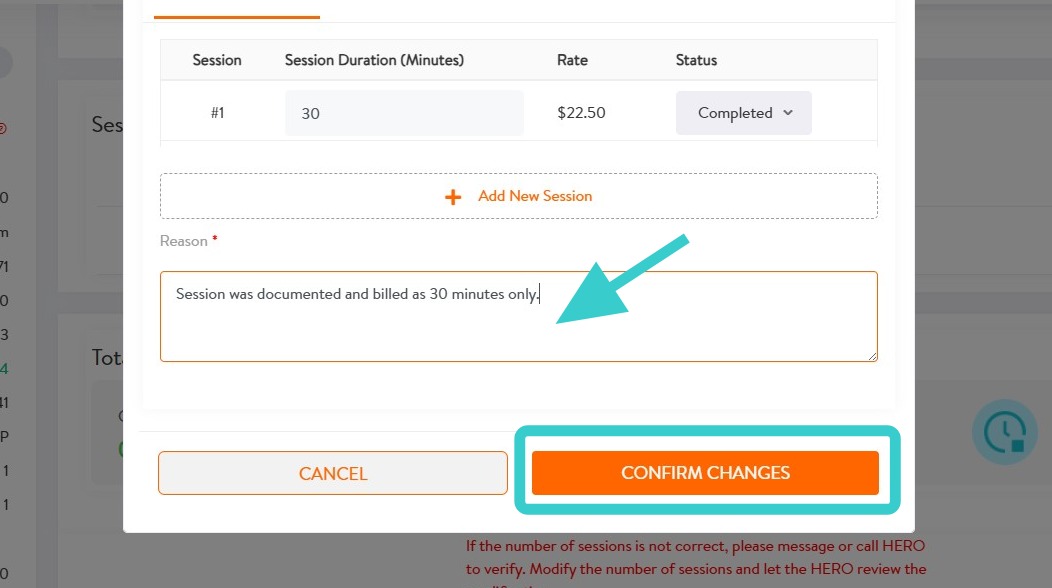
4. Make edits as needed, enter a reason for edits, then select CONFIRM CHANGES.
5. Select VERIFY & REVIEW to complete verification of shift.
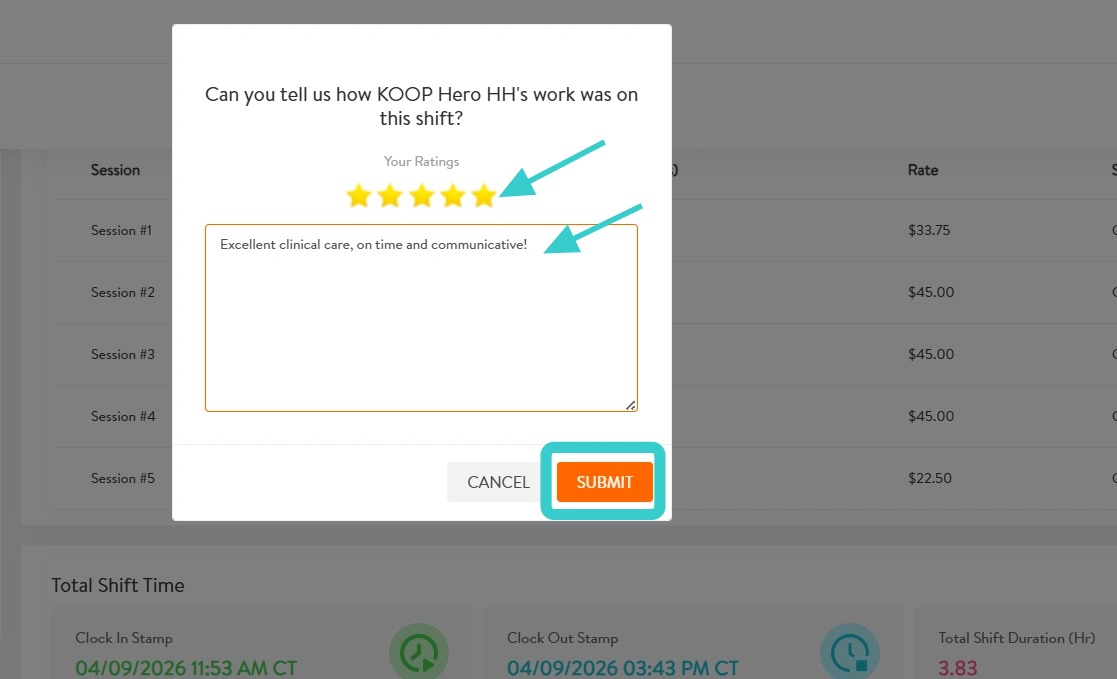
6. After verifying the shift, rate the HERO and make notes related to that rating.
Select SUBMIT.
7. Congrats!
This shift will now be visible in Verified shifts filter.